
Appearance
WebSocket and raw sockets
Change the method selector to WS or Socket.
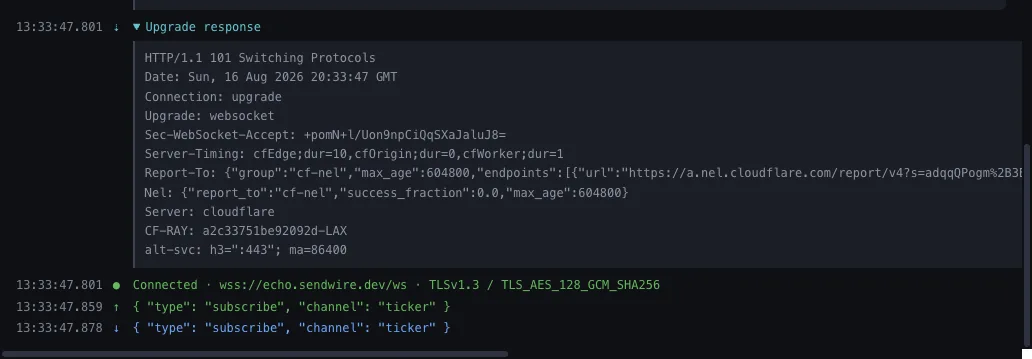
WebSocket
Enter a ws:// or wss:// URL and connect. The upgrade exchange is shown in full — the request, the 101, and the headers both ways — rather than a "connected" indicator that tells you nothing when it fails.
Subprotocols go in the request, comma-separated in preference order, and the one the server actually agreed to is shown.
Messages
Send text, JSON, or binary from hex. Everything is listed in order with a direction, a timestamp and a size; expand a frame for its opcode and payload.
Save messages you send often — they become buttons above the composer.
Closing
Close with a specific code and reason, and see the code the server closed with. "The connection dropped" and "the server sent 1008 Policy Violation" are different problems, and only one of them is yours.
Raw sockets
A plain TCP or TLS connection, with the bytes in both directions. For the protocols that are not HTTP — SMTP, Redis, IMAP, or something of your own.
Append CRLF adds a newline to each line you send. Line protocols read a command as finished only at the newline, so without it the server simply waits and nothing appears to happen.
Text is shown as text and binary as a hexdump, decided per message.
For TLS connections the certificate chain is shown the same way it is for HTTPS.