
Appearance
Privacy and data
Sendwire is a local-first desktop app. There is no account, no sign-in and no cloud. This page states plainly what is stored, and the short list of things that ever leave your machine.
Where your data is
Your whole workspace — collections, environments, history and saved responses — is a JSON file on your disk, at a path the app shows in the bottom-left of the window (and sendwire where on the command line). Nothing is uploaded, synced or shared. Deleting the app leaves the file; deleting the file is how you start over (or Settings → Reset workspace).
What leaves your machine
A short list, and nothing else:
| The requests you send | Obviously — that is the app's job. They go where you address them, and nowhere else. |
| An update check on launch | The app asks our download host whether a newer version exists. No workspace data is sent. You can turn it off (below). |
| Crash & usage reports — on by default, one click off | Anonymous, no personal info, no request data. A first-run notice discloses it; turn it off any time in Settings. |
| Inbound bins — only if you use them | Creating an Inbound request bin talks to bin.sendwire.dev to mint the URL and stream captures back. Nothing happens until you press New bin; the rest of the app never contacts it. |
Crash and usage reports
Sendwire collects its own anonymous analytics — no third party — to see which features get used and to catch crashes, so we know what to fix and what to build. It's on by default, and you can turn it off with one click. The first time you open Sendwire a notice tells you it's on and how to switch it off; the toggle lives under Settings → Crash & usage reports. Analytics is sent by a separate background worker, so it never slows the app down.
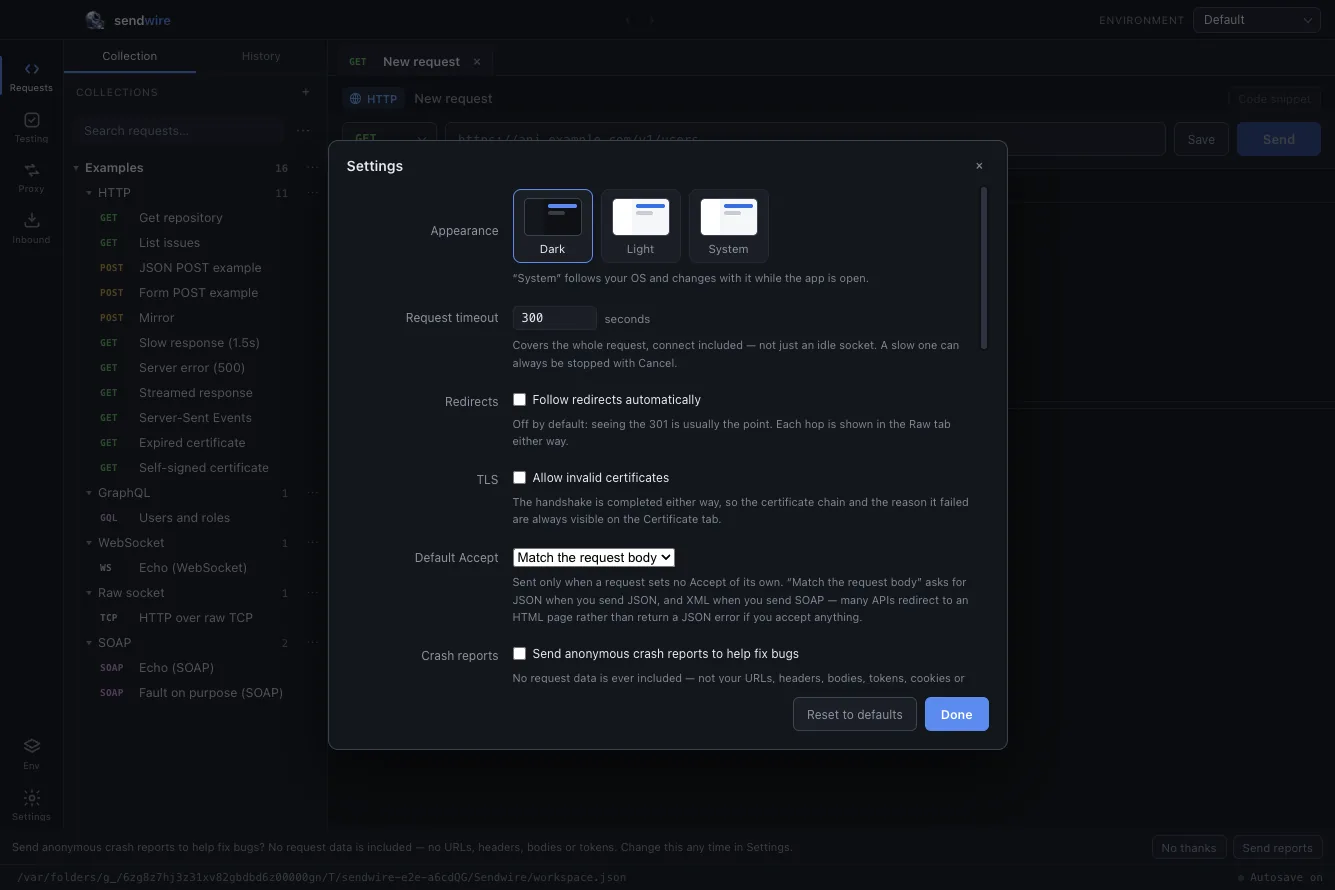
Three things are sent, all anonymous:
- Sessions — that the app was opened, and for how long, with your OS and app version, so we can see the platforms people actually use.
- Feature use — a small, fixed set of events (for example: a suite was run, a HAR was browsed, the capture proxy was started) and the screens you visit, so we can see which features are worth investing in.
- Crashes — when the app hits an error, a report is sent so we can fix it.
No account, and no request data, ever. URLs, tokens, headers, bodies, file paths, cookies and other identifying strings are never sent; crash stacks have the home directory stripped before they leave; there is no IP stored (only a coarse country) and no OS user attached. You are a random installation id, never a person.
The access log
The app keeps a local record of the requests it makes — method, URL, status and timing, no headers and no bodies — as a JSONL file on your disk. It never leaves your machine; it is there so you can audit what the app sent. Reveal it or turn it off under Settings.
Updates
On launch the app checks whether a newer version is out and shows a banner if so; nothing downloads until you press Restart & Update. A release can set a minimum version, which turns a critical update from optional into required. Check manually from Sendwire → Check for Updates…, or turn the automatic check off in Settings. See Install for the mechanics.
One honest caveat
Secrets in your environments (tokens, keys, passwords) are stored in the workspace JSON in plain text, not in the OS keychain. The file is on your disk under your user account, but it is not encrypted at rest — treat it like any other file that holds credentials.